
Getting started
Connect your Google Business Profile
Giving LocalPulse manager access to your Google Business Profile is what lets us reply to your reviews, publish posts, and track your rankings on your behalf. It takes about 2 minutes and you stay the owner of your profile at all times.
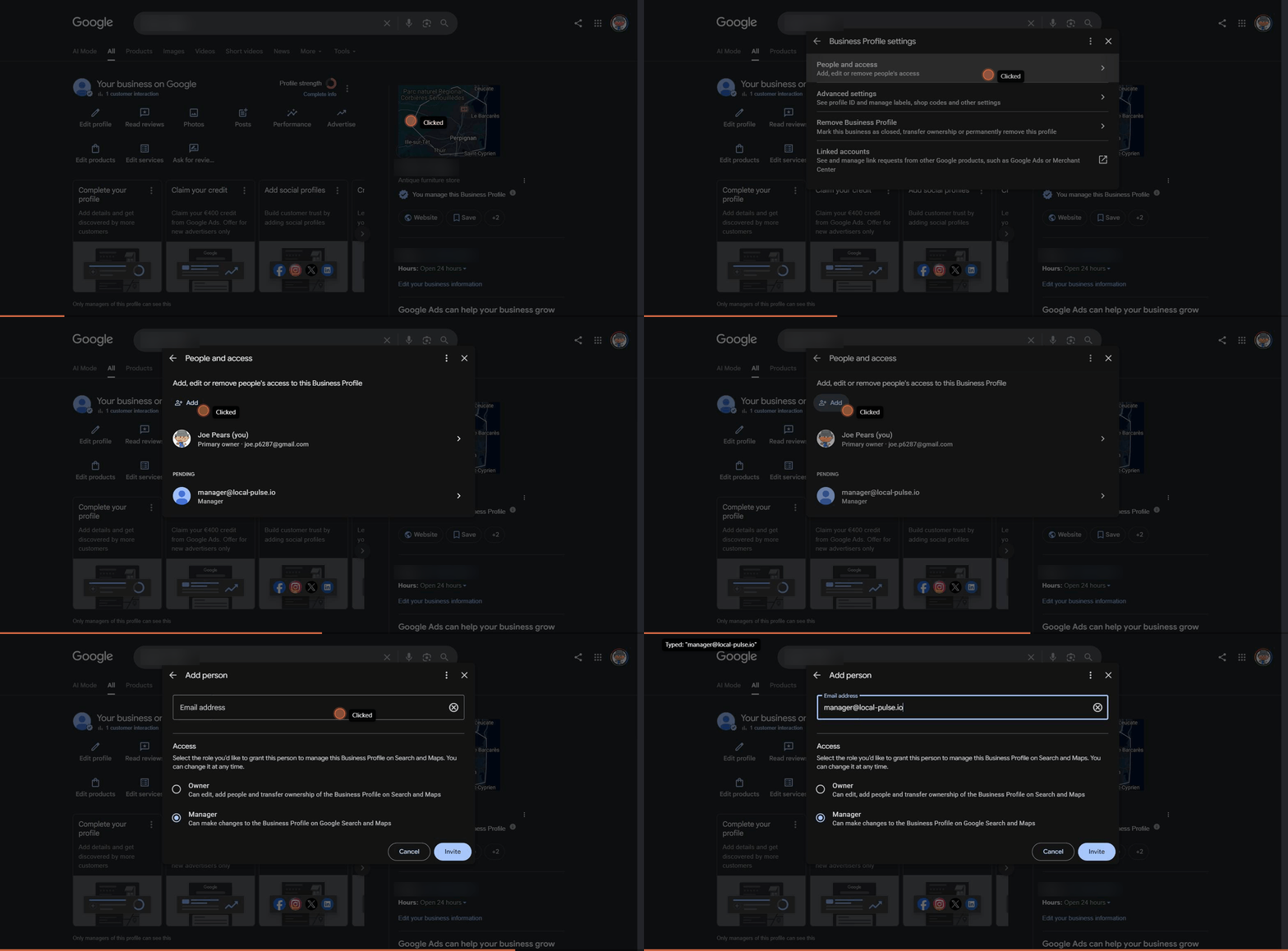
Step-by-step
- 1
Go to business.google.com and log in with the Google account that manages your business.
- 2
Open the "Managers" section and click "Add users."
- 3
Enter the email manager@local-pulse.io
- 4
Select the "Manager" role.
- 5
Click "Invite."
Our team will activate your account within 24 hours.
We never access your other Google accounts or personal data. LocalPulse only manages the one Business Profile you invite us to.
Stuck somewhere? Just reply to your onboarding email or contact us at hello@local-pulse.io.